

Parameters are user defined code fields that can be set up at the office installation.
You can find the parameters tab in multiple areas of the system if the code table is correctly configured.
This is a convenient solution for storing data that doesn't fir in any of the conventional available fields.
Parameters are enabled for each entity they are available for by using the appropriate code tables.
You enter the fields you want in a similar way to entering normal codes - but there are a few extra things to define.
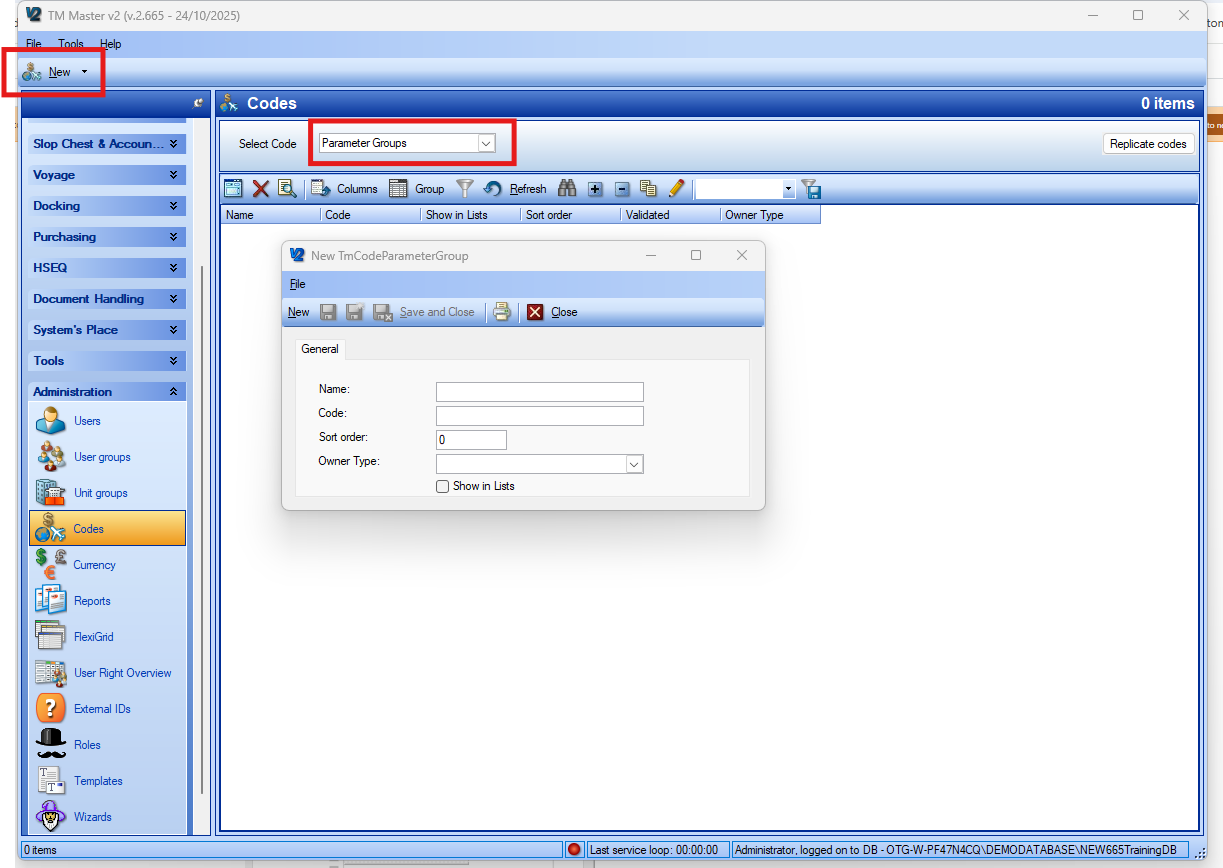
Your first step is to define a parameter group (and make sure it's validated and has show in lists ticked) - Parameter groups effectively give you several 'pages' on the parameter tabs.
To create a parameter group for items the below can be performed.
You can then create a new parameter field by going to the Parameters: item code table and enter a new code similar to the below example. (i am using item height as the example)
Ensure that both validated and show in lists are ticked if you wish for these to be visible in the dropdown throughout the whole fleet.
A restart of the system is needed to view the parameters you have added.
Comments
Article is closed for comments.